



Chasing invoices and documents
Receipts go missing. Expenses need explaining months later. And every filing means chasing people for the same documents all over again.
Collect invoices, automate the busywork and keep your accounts moving — with your accountant always in the loop.


From the moment an invoice arrives to the moment it is reconciled, numrow brings the documents, decisions and transactions together — so you and your accountant always work from the same records.

Not into accounting. Into the work around it.
Receipts go missing. Expenses need explaining months later. And every filing means chasing people for the same documents all over again.
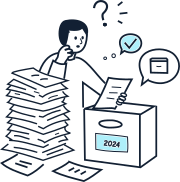
Documents keep piling up after they’ve been accounted for. Which ones can you archive, which ones need to stay, and for how long?
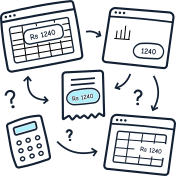
Expenses and income get entered over and over, across spreadsheets and disconnected apps. The numbers are there — just never quite in the same place.
Invoices. Receipts. Customers. Bank statements. Supplier data. Bring everything into one central workspace — instead of letting important information disappear into personal inboxes and scattered files.
How capture works

From extraction to accounting entries, numrow applies your rules and prepares each invoice automatically. You only step in when a decision is needed.
Because every value has a source, you always know what was extracted, what came from a rule and what was entered manually.
Know what’s done, what needs your attention and what’s holding things up. Review, approve and reconcile from one place — with a clear view of what’s happening across your business.


Give your accountant access to the same information you see, share documents where they belong and keep reviews moving — without sending exports back and forth.
numrow provides the API, structured imports and secure file exchange needed to integrate with your ERP and business software. Your team or integration partner can build the connection around your existing systems and workflows.
numrow adapts its accounting, tax and reporting workflows to the requirements of your jurisdiction and organisation.
See what numrow can do with your own invoices in a 30-minute product session. No slides, no generic demo — just your workflows and the questions that matter to your business.
Invoice processing, approvals and reconciliation for businesses and the accountants who serve them.